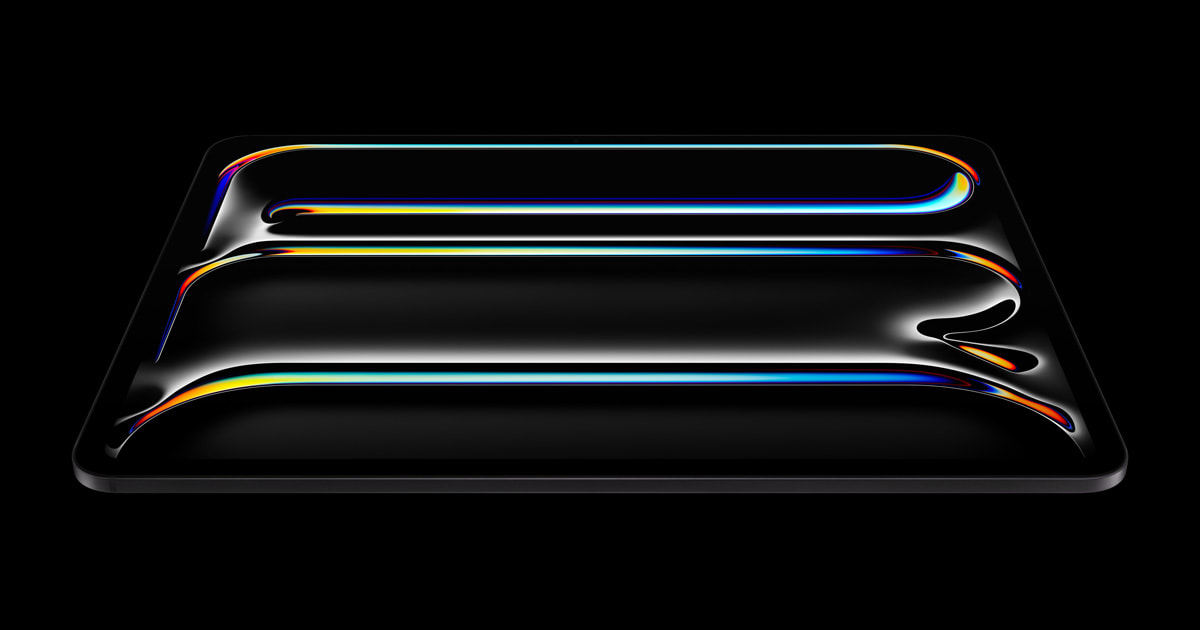
iPad Pro M4 Review (2025): The Most Powerful Tablet Ever Made — But Is It Worth the Price?
The iPad Pro M4 is Apple's thinnest, most powerful tablet yet. We tested it for weeks — here's our full verdict.
Check the latest price
via Amazon Associates
iPad Pro M4 Review (2025): The Most Powerful Tablet Ever Made — But Is It Worth the Price?
Overview
Apple’s iPad Pro lineup has always occupied a fascinating and slightly uncomfortable space in the consumer tech ecosystem — too powerful to be dismissed as a media consumption device, yet perpetually constrained by software limitations that keep it from fully replacing a laptop. The iPad Pro M4 (2024/2025 model year) changes that conversation in meaningful ways, and it arrives as arguably the most technically impressive piece of consumer hardware Apple has ever shipped.
Packing the same M4 chip found in the latest MacBook Pro, wrapped inside a chassis so impossibly thin it makes previous iPads look chunky, and now equipped with an industry-leading tandem OLED display, the iPad Pro M4 is a genuine engineering marvel. It targets creative professionals, digital artists, content creators, students in demanding programs, and anyone who wants desktop-class power in a genuinely portable form factor.
One-line verdict: The iPad Pro M4 is the best tablet ever made — period — and if the price doesn’t scare you off, it will absolutely transform the way you work and create.
Design & Build Quality
Let’s start with what everyone notices first: this thing is absurdly thin. At just 5.1mm for the 11-inch model and 5.3mm for the 13-inch, the iPad Pro M4 is the thinnest Apple product ever made — thinner than an iPhone 15, thinner than an Apple Pencil Pro, thinner than a credit card stack. Holding it for the first time genuinely feels like a magic trick.
The chassis is precision-machined aerospace-grade aluminum, available in Space Black and Silver. Both finishes feel premium and cold-to-the-touch in a way that communicates quality instantly. Despite the extreme thinness, there is essentially zero flex in the body — Apple has clearly engineered this with structural rigidity in mind, using internal reinforcement that keeps everything solid even when you’re typing on the Magic Keyboard folio.
The front camera has been repositioned to the landscape edge of the device, which is a long-overdue change that makes video calls feel natural rather than awkward. No more talking to someone’s forehead during Zoom meetings. The TrueDepth camera system supports Face ID in both landscape and portrait orientations seamlessly.
In the box, you get the iPad Pro itself, a USB-C cable (Thunderbolt 4), a 20W USB-C power adapter, and documentation. The Apple Pencil Pro and Magic Keyboard are sold separately — a perennial complaint, given that those accessories are essentially required to unlock the device’s full potential, adding hundreds of dollars to an already steep base price.
Magnetic attachment for the Apple Pencil Pro works flawlessly, snapping to the side of the device for wireless charging with satisfying precision. The Magic Keyboard (redesigned with an aluminum build and a function row) transforms the iPad Pro into something that genuinely mimics a slim laptop experience.
Key Features & Performance
The M4 Chip: Overkill in the Best Way
The M4 chip inside this iPad Pro is not a cut-down version — it’s the same silicon that powers Apple’s laptop lineup, featuring a 10-core CPU, a 10-core GPU, and Apple’s latest 16-core Neural Engine. In benchmark terms, it absolutely crushes every Android tablet on the market and competes directly with mainstream laptops.
In practice, this means absolutely zero lag in any scenario you can throw at it. Final Cut Pro for iPad renders 4K timelines in real time. Procreate handles canvases with thousands of layers without a stutter. Running multiple apps in Split View, Stage Manager, and with external displays connected simultaneously — the M4 doesn’t even break a sweat. It’s almost comically over-specified for many everyday use cases, but if you’re a creative professional, that headroom is genuinely valuable.
Base RAM starts at 8GB on entry configurations and steps up to 16GB on higher storage tiers. For serious creative work, spending up to get 16GB is advisable and noticeable in sustained multitasking workflows.
Tandem OLED Display: A Genuine Leap Forward
This is where the iPad Pro M4 makes its most dramatic improvement over its predecessor. Apple’s new Ultra Retina XDR Tandem OLED display stacks two OLED panels on top of each other to achieve peak brightness of 1,600 nits (HDR) and 1,000 nits sustained — figures that were simply impossible to achieve with a single OLED panel at tablet scale without catastrophic burn-in risk.
The result is a display that looks genuinely different from anything else on the market. Colors are richer, blacks are deeper, and HDR content from Apple TV+, Netflix, and YouTube HDR looks breathtaking. Text is razor sharp at 264 ppi (11-inch) and 264 ppi (13-inch), with ProMotion adaptive refresh up to 120Hz making scrolling and drawing feel incredibly fluid.
For digital artists using Apple Pencil Pro, the display’s accuracy is remarkable — 99% DCI-P3 color coverage with factory calibration means what you see on screen is genuinely trustworthy for professional color work.
Apple Pencil Pro: The Best Stylus Available
The Apple Pencil Pro, sold separately but deeply integrated with this iPad Pro, introduces barrel roll support — meaning the pencil now detects rotation along its axis, enabling natural brush orientation in apps like Procreate. Combined with pressure sensitivity, tilt detection, and hover functionality, it’s the most capable stylus on any platform.
Squeeze gestures for switching tools and the new Find My support (so you don’t lose an accessory worth $129) round out an impressive package.
iPadOS 18 and Software: Still the Elephant in the Room
The hardware story is flawless. The software story remains complicated. iPadOS 18 brings Apple Intelligence features (AI writing tools, image generation, enhanced Siri) and improvements to Stage Manager for external display support. But fundamental limitations persist: no native access to a file system in the traditional sense, restricted browser engine diversity, and an App Store ecosystem that still hasn’t fully risen to meet the hardware’s potential.
For many workflows — video editing, music production, illustration, document-heavy work — iPadOS is genuinely sufficient. For software development, complex data analysis, or anything requiring legacy software, it still falls short of a Mac.
Real-World Use Experience
Commuting: At just over 580g (13-inch) and 444g (11-inch), the iPad Pro M4 is genuinely light enough to hold one-handed for reading or watching content on public transit. Battery life in light to moderate use consistently hits 9-10 hours, making it reliable for a full day away from a charger.
Travel: This is where the iPad Pro M4 absolutely shines. Paired with the Magic Keyboard, it replaces a laptop entirely for most road warriors — handling email, document creation, video calls, and entertainment with ease. It clears security theater more easily than a laptop, fits comfortably on airline tray tables, and the Wi-Fi 6E and optional 5G cellular options keep you connected reliably.
Work: In creative and media professions, the M4 iPad Pro is a legitimate production tool. Video editors, photographers, illustrators, and musicians all have robust app ecosystems that take genuine advantage of the hardware. Knowledge workers will find it exceptional for note-taking, PDF annotation, and presentation work.
Exercise & Health Tracking: This isn’t a wearable, so it won’t track your steps — but for gym-focused users who want a tablet for workout videos, tracking apps, or music, the speakers (four-speaker array with spatial audio) are genuinely impressive, and the slim build slips into a gym bag without complaint.
Pros
- Stunning Tandem OLED display — the best screen on any tablet, period, with class-leading brightness and color accuracy
- M4 chip performance is genuinely desktop-class, future-proofing this device for years of demanding use
- Impossibly thin and light design that doesn’t sacrifice structural rigidity or premium feel
- Apple Pencil Pro integration is the best stylus experience available on any platform
- Landscape front camera finally makes video calls feel natural and professionally appropriate
- Thunderbolt 4 connectivity enables external display output at full 6K resolution and fast accessory ecosystems
- ProMotion 120Hz OLED display makes every interaction feel buttery smooth and incredibly responsive
Cons
- Price is extremely high — starts at $999 for 11-inch, $1,299 for 13-inch, before accessories that arguably make it functional
- iPadOS software limitations prevent it from fully replacing a laptop for many professional workflows
- Accessories (Pencil Pro + Magic Keyboard) add $400+ to the cost and feel essential rather than optional
- No headphone jack and the included 20W charger charges slowly given the device’s premium price point
- Base 256GB storage feels insufficient at this price tier given how large creative project files have become
Who Should Buy / Who Should Skip
Buy it if you are:
- A digital artist, illustrator, or designer who wants the best stylus experience and display on the market
- A video editor or content creator who needs portable, powerful production capability
- A student in a creative or professional program who wants one device for notes, projects, and entertainment
- A frequent traveler who wants laptop-replacement capability in a lighter, thinner package
- An existing iPad Pro owner on an older chip (A12X or earlier) where the upgrade will feel transformative
Skip it if you are:
- A casual user who primarily browses, streams, and reads — a standard iPad or iPad Air delivers 90% of that experience at half the price
- A software developer, data scientist, or anyone requiring macOS or Windows applications — buy a MacBook instead
- Budget-conscious — the iPad Air M2 or M3 offers remarkable performance at a significantly lower price point
- Someone who finds iPadOS frustrating — the hardware won’t fix software-driven workflow friction
Verdict
| Category | Score |
|---|---|
| Display Quality | 5.0 / 5.0 |
| Performance | 5.0 / 5.0 |
| Design & Build | 5.0 / 5.0 |
| Software & Ecosystem | 3.5 / 5.0 |
| Value for Money | 3.5 / 5.0 |
| Battery Life | 4.5 / 5.0 |
| Overall | 4.6 / 5.0 |
The iPad Pro M4 is a hardware triumph that is genuinely difficult to overstate. Apple has delivered the world’s thinnest, most powerful tablet with a display that makes everything else look outdated, performance that laughs at professional workloads, and a design so refined it borders on art object. If you are a creative professional, a content creator, or a power user who lives inside the Apple ecosystem, this is the definitive portable device available today — and it isn’t close.
The caveats are real but well-established: iPadOS still imposes meaningful limitations for certain workflows, the accessory costs are genuinely punishing, and the base price requires serious financial commitment. If those concerns apply to you, the iPad Air M2 or a MacBook Air M3 may serve you better dollar-for-dollar.
But for those who fit its target profile, the iPad Pro M4 isn’t just the best tablet ever made — it’s one of the most impressive consumer technology products Apple has ever produced, full stop. If you can afford it and your workflow supports it, buy it without hesitation.
Prices and availability subject to change. As an Amazon Associate, we earn from qualifying purchases made through links in this review.
Affiliate link — we may earn a small commission at no extra cost to you.